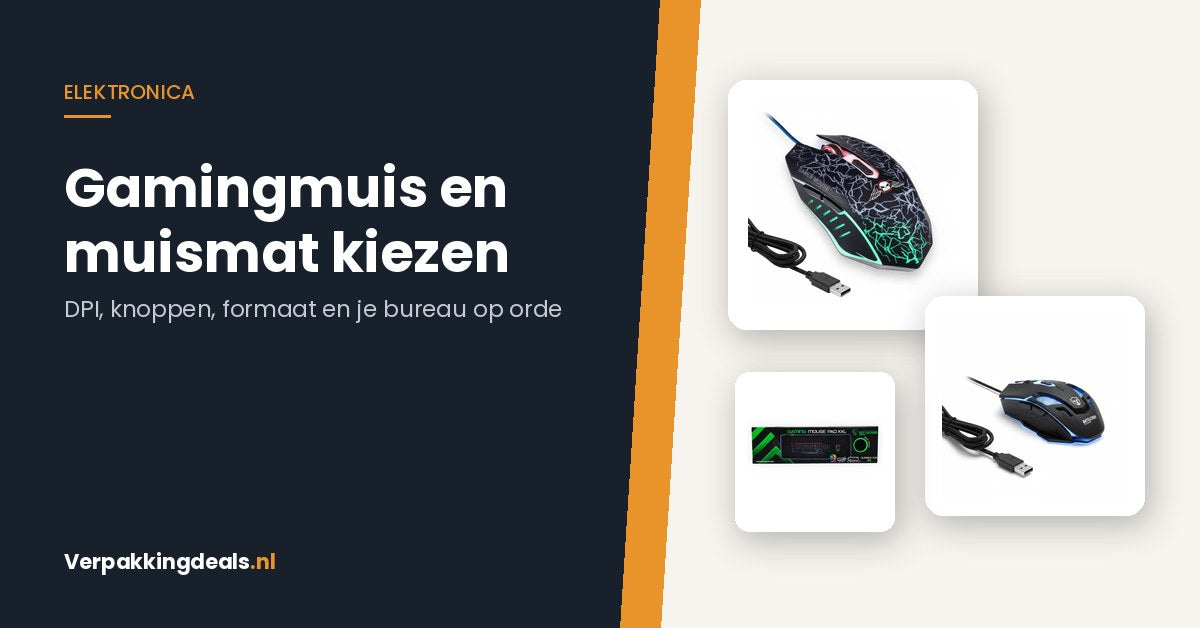
Choosing a gaming mouse and mouse pad: DPI, buttons, and the size that fits your desk
,
by Verpakkingdeals.nl
6 min reading time
A mouse rarely breaks; it slowly becomes unpleasant to use. This buying guide explains what DPI and extra buttons really mean, which mouse size fits your desk, and which cables and hubs you'll need.
A computer mouse rarely breaks all at once. It slowly becomes unpleasant to use. The scroll wheel occasionally skips, the side feels slippery, and on a lacquered desk, the cursor just doesn't quite go where you want it. Precisely in the months when you spend more hours in front of your screen—working from home, homework, a long evening of gaming—that starts to irritate. Below, we list what to look for when buying a new mouse and mouse pad, without having to delve into sensor technology.
Start with your surface, not the mouse
Most people buy a new mouse first and only much later a mouse pad. The reverse works better. An optical sensor reads the surface under the mouse. On glossy lacquered wood, glass, or a desk with a textured print, that sensor gets a noisy image and constantly corrects itself. You'll feel that as a cursor that reacts just too fast or just too slow, regardless of how expensive your mouse is.
A plain mat with a fabric top layer immediately reduces that problem. Before ordering, measure the free space on your desk: width up to your keyboard, and depth between the edge of your desk and your screen. A mat you have to fold because it doesn't fit will be back in the closet within a week.
DPI, buttons, and cable: what the specs say
DPI indicates how much the cursor moves per centimeter you shift the mouse. High is not automatically better. For office work on a single screen, a low to medium value is more pleasant because you click more precisely. For two screens or fast games, you want a bit more so you don't have to lift it constantly. More important than the maximum is whether you can change the value—a button behind the scroll wheel is the usual place for this. The RGB Gaming Mouse with 3200 DPI and 6 buttons (€12.95) with that value is in the range that is more than sufficient for most people.
Buttons are only useful if you remember them. Almost everyone uses two extra thumb buttons within a week (forward and back in your browser). Nine programmable buttons, such as on the Vortex G5 in black (€69.95, also in gray and pink), are interesting if you use a game or program where you repeat fixed combinations. If you buy them without that plan, they remain expensive decorative buttons.
Wired or wireless is primarily a matter of what your desk looks like. A wired mouse like the BattleTron Gaming Mouse (€19.95) never needs charging and costs you one USB port. With a wired mouse, pay attention to where the cable runs: if it chafes over the edge of your desk, it will constantly pull your mouse back.
Mouse pad: size determines how you work and play
There are roughly three sizes, and they correspond to three ways of moving.
Small (around 25 x 21 cm): enough for office work where you move from your wrist. Fits next to a keyboard on a cramped desk.
XXL around 80 x 30 cm: keyboard and mouse lie on the same surface. You no longer have a seam on the left that your mouse bumps over. The Battletron XXL Mouse Pad of 80 x 30 cm (€19.95) falls into this group.
XXL around 90 x 40 cm: for those who move with their entire forearm and play at low DPI. Really measure this size—90 cm is wider than many desks are deep. The XXL Gaming Mouse Pad of 900 x 400 mm with A5 notebook (€29.99) is such an example.
Also pay attention to the underside. Rubber or silicone keeps the mat in place; a smooth underside will slide along as soon as you get enthusiastic. And roll a new mat upside down for a day if it curls at the edges—that works better than putting books on it.
The ports and cables around it
A new mouse doesn't solve much if you've already occupied all USB ports with a headset, keyboard, and charger. A hub gives you that space back. For a mouse, speed is hardly important, but for an external drive it is: consciously choose USB 3.0, such as the USB 3.0 Hub with 4 ports and a 100 cm cable (€14.95) or the aluminum USB 3.0 hub with 7 ports (€9.95).
Once a month, use a dry cloth to remove dust from under the sensor; accumulated dirt under the glide feet causes precisely that choppy feeling for which you wanted to replace the mouse. A fabric mouse pad can be wiped with lukewarm water and some hand soap and allowed to dry flat—not in the washing machine, as the rubber backing will detach. Do not store a spare mouse with the cable tightly wrapped around the device; that kink at the connection is where cables break first.
Briefly summarized
First, choose a mat that fits your desk, then a mouse that fits your hand and your usage. Don't be fooled by the highest DPI value and count your USB ports before ordering. For most people, the leap from a standard mouse on a lacquered desk to a simple mouse on a large mat is greater than the leap from a €20 mouse to a €70 mouse.
Choosing a USB hub for working from home: 2.0 or 3.0, how many ports, and with switches
· 3 min reading time
Choosing a USB hub for working from home: 2.0 or 3.0, how many ports and with switchesYour desk needs three USB devices, but your laptop only has two ports. Or...
Power outages in autumn: emergency supplies you'll actually use
· 2 min reading time
Autumn Power Outages: Emergency Supplies You'll Actually Use October to December. Heating isn't in full swing yet, but the nights are getting long and cold. If a power outage strikes...
Choosing a power bank: capacity, charging speed, and weight compared
· 2 min reading time
Choosing a Power Bank: Capacity, Charging Speed, and Weight Compared Your phone dies when you're out and about. The classic emergency solution is a power bank. But what capacity do...